Best Smart Plugs With Energy Monitoring in 2026
Most homes waste power in small ways that nobody notices. A television sits in standby all night. A game console waits for a controller that never comes. A coffee maker stays warm for hours after the last cup. None of this looks big on its own. Together it adds up month after month.
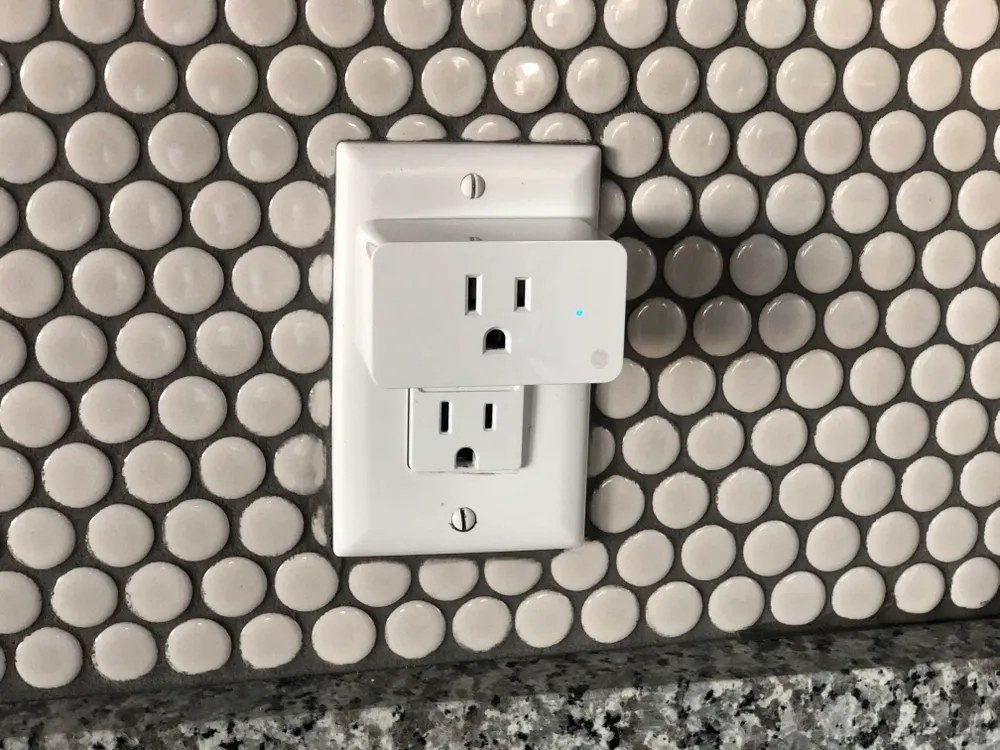
A smart plug with energy monitoring does two simple jobs. It switches power on and off from your phone or on a schedule. It also measures how much power the plugged in device actually uses. That second job is the one that matters. Without a meter you are guessing. With a meter you can see the waste and decide what to do about it.
This guide covers the plugs worth buying in 2026. Every price and every key feature below was checked on the official store or support page on the day of publishing. Prices move with sales. Always check the price again on the day you buy.
The short answer
Buy the Kasa KP125M if you want one plug that works with almost everything and costs the least per plug in a multi pack. Buy the Tapo P110M if you want the same idea from the Tapo app with strong safety tools. Buy the Eve Energy if your home already runs on Apple Home and Thread and you want local control with no cloud account. Buy the Shelly Plug US Gen4 if you want local control and advanced automation without relying on a vendor cloud.
None of these plugs needs a monthly fee for energy monitoring. The apps are free. The readings are free. That is the whole point.
Why energy monitoring matters
The United States Department of Energy says many appliances and electronics consume energy even when they are turned off but remain plugged in. The department calls this vampire power or standby power. It says connecting these devices to power strips or smart plugs lets you turn them off completely when not in use. It also says cutting standby power can make a noticeable dent in monthly consumption.
ENERGY STAR says smart plugs are the least expensive way to start with smart home energy saving. It lists smart plugs first before smart lights and before a smart thermostat. It says you can use plugs to schedule or control products to save energy when you are not home.
A meter plug goes one step further than a plain plug. A plain plug can switch a device off. A meter plug can tell you whether switching it off is worth doing at all. A device drawing 5 W in standby all year uses about 44 kWh in a year. A device drawing 1 W uses under 9 kWh in a year. The first one deserves a schedule. The second one can be left alone. You only know which is which if you measure.
Read our guide on whether smart thermostats actually save money for the same honest math. Small savings are real. They are not magic.
The picks
Kasa KP125M. Best overall for most homes
The KP125M is the plug to buy first. TP Link lists it as Matter Certified. That means it joins Apple Home and Alexa and Google Home and SmartThings from one setup. TP Link says the energy monitoring shows real time and historical power consumption. The Kasa app shows daily and weekly and monthly totals. You can enter your electricity rate and the app estimates the cost.
TP Link launched this plug with a list price of $39.99 for the 2 pack and $69.99 for the 4 pack. Street prices are often lower during sales. Check the live price on the day. Even at list price the 4 pack works out to about $17.50 per plug. That is cheap for a Matter plug with a meter.
It is rated at 15 A and 1800 W. It is small enough to avoid blocking the second outlet. Voice control and schedules and timers and away mode are built in. The catch is simple. Energy data lives in the Kasa app. Matter carries switching into your other apps.
If you are new to all of this then read our guide on how to start a smart home before you buy a full house worth of plugs. Start with two plugs. Measure first. Buy more later.
Tapo P110M. Best value in multi packs
The Tapo P110M is the Tapo twin of the Kasa idea. TP Link sells it under the Tapo brand. The official page lists visualized energy consumption and energy bill estimation. It supports single billing and periodic billing so you can enter your rate and see an estimated cost. It also lists Smart Charge Guard. That feature shuts power off when a device drops to a low power level for a set time. That helps stop overcharging.
Power protection lets you set a threshold and shut power off above it. The official page gives a space heater example at 1.5 kW. Treat that as a safety example only. Always follow the heater maker instructions first.
The P110M works with Apple Home and Alexa and Google Home and SmartThings through Matter. Setup can be done in the Tapo app with Bluetooth or by scanning the Matter code in your platform app. Local control in the Tapo app still works when the household internet goes offline.
Pricing for the P110M moves a lot by pack size and by sale. It is usually sold in multi packs in the United States. Compare the per plug price on the live listing rather than the box price. Check the official Tapo store and the live retailer price on the day.
The catch matches the Kasa catch. The best energy graphs live in the Tapo app. Matter gives you switching everywhere. The history stays in Tapo.
Eve Energy. Best for Apple Home and Thread
Eve Energy is the premium pick. It uses Matter over Thread. It does not use your Wi Fi network at all. Eve says it works across platforms and offers all features without any additional subscriptions. Eve also says it honors your privacy with no Eve cloud and no registration. That matters if you do not want another account.
Eve lists the United States rating at 15 A and 1800 W. The plug acts as a Thread router node and strengthens the mesh. The Eve app shows current power and recorded consumption and projected cost.
The official Eve store lists Eve Energy at about $43.95 in the United States. Sales bring it lower at times. Check the live price on the day. It costs roughly 2 to 3 times a Wi Fi plug. You pay for Thread reliability and local control and privacy.
The honest catch is the hub requirement. Eve says you need a compatible hub with Matter Controller and Thread Border Router functionality. A HomePod mini or an Apple TV 4K with Thread can do that job in an Apple home. Without a border router the plug will not work as intended. Do not buy it until you confirm your hub.
Shelly Plug US Gen4. Best for local control
The Shelly Plug US Gen4 is for people who want control that stays in the house. Shelly lists multi protocol connectivity with Wi Fi and Bluetooth and Zigbee. It is Matter certified and Apple HomeKit compatible. It has precise power monitoring in real time. It supports appliances up to 1800 W and 15 A. It has a built in web interface for monitoring and control and settings. It supports schedules and scenes and local actions that function even without internet.
Scripting and webhooks and MQTT are also supported. That is exactly what Home Assistant users want.
The official Shelly United States store lists the single plug at $21.24 on sale from $24.99. The 2 pack is listed at $40.49. The 4 pack is listed at $71.99. Those prices were checked on the official store on the day of publishing. Check again on the day you buy because sale pricing changes.
The catch is complexity. The Shelly app and web interface give you more control than Kasa or Tapo. They also give you more settings to get wrong. If you want the simplest app then buy Kasa or Tapo. If you want local automation that survives a cloud outage then buy Shelly.
Comparison table
| Plug | Best for | Connection | Max load | Energy data | Price guide |
|---|---|---|---|---|---|
| Kasa KP125M | Most homes | Matter over Wi Fi | 15 A and 1800 W | Kasa app | $39.99 list for 2 pack |
| Tapo P110M | Multi pack value | Matter over Wi Fi | 15 A and 1800 W | Tapo app | Varies by pack and sale |
| Eve Energy | Apple Home and Thread | Matter over Thread | 15 A and 1800 W | Eve app and platform | About $43.95 |
| Shelly Plug US Gen4 | Local control | Wi Fi and Bluetooth and Zigbee | 15 A and 1800 W | Shelly app and web interface | $21.24 single on sale |
Prices in the table were checked on official pages on the day of publishing where an official price is shown. Sale prices move. Always check the live price before you order.
How to use a meter plug well
Start with the entertainment setup. A television and a sound bar and a game console and a streaming box can draw power all night in standby. Measure for 7 days. Look at the overnight watts. If standby is 10 W or more then a schedule that cuts power while you sleep will save real energy.
Next measure the home office and the kitchen small appliances. Monitors and speakers and a coffee maker often idle for hours. A schedule that cuts power after hours is simple and effective. You may find some draws are tiny. That is useful too.
Write down the watts and the hours. Multiply watts by hours and divide by 1000 to get kilowatt hours. Multiply kilowatt hours by your price per kilowatt hour to get cost. The apps do this math for you after you enter your rate.
If you are choosing between plugs and switches for lights then read our guide on smart bulbs versus smart switches first. A plug is great for a lamp. A switch is better for ceiling lights.
Honest warnings
A smart plug uses a little power itself. It must stay awake to hear commands. That draw is small. It still means a plug on a device you already switch off by hand saves nothing. Put plugs where they cut real waste.
Do not put a smart plug on a fridge or a freezer unless both makers expressly allow that exact use. Food safety comes first. Do not put a smart plug on medical devices. Do not use a smart plug to control a space heater unattended unless the heater maker and the plug maker both allow it. When in doubt leave the plug off that load.
Check the rating every time. Motors draw extra current at startup. Stay well under the limit. Matter does not always carry energy data into every app. On Kasa and Tapo plugs the detailed history lives in the maker app. Read the official page for your platform before you buy.
Wi Fi plugs need a strong 2.4 GHz signal. Thread plugs need a border router. Match the plug to the network you actually have.
Bottom line
A smart plug with energy monitoring is the cheapest honest way to find waste in your home. It needs no monthly fee. It tells you in watts and in kilowatt hours and in dollars where your power goes.
Buy the Kasa KP125M first if you want the safe default. Buy the Tapo P110M if the multi pack price is better on the day. Buy Eve Energy if you live in Apple Home and already own a Thread border router. Buy Shelly if local control matters more than simplicity. Measure for a week. Set one schedule. Then decide whether you need more plugs at all.
That is the whole job. Measure first. Automate second. Spend only where the numbers prove it.
Sources
- TP Link Kasa KP125M official product page. https://www.tp-link.com/us/home-networking/smart-plug/kp125m/
- TP Link Kasa KP125M launch pricing. https://www.tp-link.com/us/press/news/20552/
- TP Link Tapo P110M official product page. https://www.tp-link.com/us/home-networking/smart-plug/tapo-p110m/v1%20(1-pack)/
- Eve Energy official product page. https://www.evehome.com/en/eve-energy?open-shop-now
- Shelly Plug US Gen4 official United States store. https://us.shelly.com/products/shelly-plug-us-gen4-white-2-pack
- United States Department of Energy on vampire power and smart plugs. https://www.energy.gov/articles/5-tips-energy-saving-renters
- ENERGY STAR on smart plugs as a starting point. https://www.Energystar.gov/products/ask-the-experts/save-energy-with-smart-home-products

4 Comments