The short answer: You do not need a hub, wiring, or a fortune. Start with Wi-Fi: one smart speaker, two smart bulbs, and one smart plug. That is a working smart home. Plug the speaker in, screw in the bulbs, plug a lamp into the smart plug, and connect all three to one app on your phone. If you can do that in one evening — and most people can — you have a smart home.
Before you buy: check your Wi-Fi. Your first devices run on Wi-Fi, so they need a decent signal where you use them. In your living room, can your phone play a video without buffering? If yes, you are fine. If not, start there instead of the bedroom. Find your Wi-Fi password first — it is usually on the bottom of the router. Make sure your phone is on the same network you want the devices on.
Step 1: Pick one voice assistant. There are three main choices, and any of them will do. The mistake is not picking the wrong one. The mistake is picking all three. Alexa: If you already shop on Amazon, Alexa is the easy start. The speakers are cheap, and more devices work with it than with anything else. Google Home: If your household already lives on Google — Gmail, Calendar, an Android phone — Google Home fits in without a second thought. Apple Home: If everyone in the house has an iPhone, Apple Home is the calmest option. It is stricter about which devices it works with, which means fewer choices and fewer headaches. No winner here. Which company’s app is already on your phone? That is your answer.
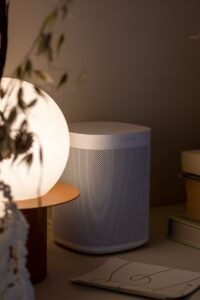
Step 2: The first three devices. 1. A smart speaker. Your remote control, except you talk to it. Put it in the living room and set it up first. On a normal evening, you will use it to turn the music down, check tomorrow’s weather, or set a timer while cooking. 2. Two smart bulbs. Start with the two lamps you use most, usually in the living room. Screw them in like normal bulbs. On a normal evening, this is the moment it clicks: you are on the sofa, the film is about to start, and instead of getting up, you just say so. 3. One smart plug. The cheapest device here, and the most underrated. Plug it into a wall socket, then plug an ordinary lamp or fan into it. Now that ordinary thing is smart. You did not rewire anything. That is your starter kit: a speaker, bulbs, and a plug. Use all three for a week. If you are still excited, you are ready for the next step.
Step 3: Set up two routines. Devices are nice. Routines are the point. A routine is a list of things that happen together, triggered by one word. Set up two, and your house starts feeling smart. Goodnight: One phrase, and the house settles itself. The bulbs turn off, the hallway light dims, the plug switches the fan off, and the speaker tells you tomorrow’s weather quietly. Leaving home: One phrase as you walk out the door. The bulbs and plug switch off, and you stop wondering halfway down the street — did I leave the lamp on? You did not. Two routines. Do not build ten.
What NOT to buy first. A hub: A hub connects lots of devices together, and it is genuinely useful — later. Right now, your three Wi-Fi devices do not need one. Wait until you have ten or more devices. Month two, maybe. Not day one. A full security system: Cameras, sensors on every door, a monitored alarm — that is a project, not a starter kit. Start with the basics. When you are ready, we will walk through security slowly — including our upcoming guide to video doorbells that work without a monthly fee. Anything that needs wiring: If it needs a screwdriver or an electrician, it is not a first purchase. That includes most smart switches and wired thermostats. Our guide to smart bulbs vs smart switches will help when the time comes, and our thermostat guide, “Do Smart Thermostats Actually Save Money?”, is the honest place to start first. If it does not plug in or screw in, leave it on the shelf.
The starter kit, under $150. These are rough bands, not shop prices — check the actual price on the day you buy. Smart speaker, small: Around $30–$50. Two smart bulbs: Around $15–$25 for two. Smart plug, one: Around $10–$15. Total: Around $55–$90. That leaves you well under $150, deliberately. The leftover money is your buffer: a second plug, or a bulb for the bedroom. Or just keep it. A smart home that starts at $70 and works beats one that starts at $150 and frustrates you. In the UK, Canada, or Australia, the same kit costs a little more after conversion. The idea does not change: small speaker, two bulbs, one plug, one app.
Common first-week mistakes. Buying devices from three different apps: A speaker from one brand, bulbs from another, a plug from a third — now you have three apps and nothing that talks to anything else. Pick one assistant in Step 1, then buy devices that work with it. One app. One account. Putting a smart bulb on a dimmer switch: A smart bulb already dims itself from the app. Put it on an old-fashioned dimmer and it will flicker, buzz, or give up. Leave the dimmer turned all the way up, or put the smart bulb somewhere else. Buying a thermostat before checking the wiring: Many smart thermostats need a C-wire, the wire that powers the thermostat. Check the manufacturer’s compatibility page and photograph your wiring before you order. Our thermostat article explains this — read it before you buy, not after. Setting everything up, then never using it: If the speaker lives in a spare room, you will stop using it by Thursday. Put the speaker where you sit. Make the routine one word.
What comes next. If your three devices work and you use them every day, you are done with week one. When you are ready, go one device at a time: a second plug, then a bulb for the hallway, then a doorbell or a lock. Our upcoming guides will cover those next: the best video doorbells without a monthly fee, smart bulbs vs smart switches, and whether a smart lock is actually safe. For now, enjoy the small version. A lamp that turns itself off, a fan that stops when you leave, a speaker that plays music when you ask. That is a smart home.
FAQ. Do I need a hub to start a smart home? No. A hub is useful later, when you have lots of devices. Your first speaker, bulbs, and plug run on Wi-Fi and do not need one. Can I start a smart home if I rent? Yes — this kit is made for renters. Nothing needs wiring, drilling, or changing a switch. When you move out, unscrew the bulbs, unplug the speaker and plug, and take them with you. What if my Wi-Fi is weak in some rooms? Start where the signal is strongest, usually the living room. If a device keeps dropping off, move the router closer to the middle of the house first. Which voice assistant should I choose? The one already on your phone. Amazon user? Alexa. Live on Google? Google Home. Everyone on iPhone? Apple Home.
Sources and references. Connectivity Standards Alliance (CSA) — Matter: The shared standard that lets smart-home devices from different brands work together. Official site: https://csa-iot.org/all-solutions/matter/ Amazon — Alexa setup: Amazon’s own setup guide for Echo speakers and the Alexa app. Google — Google Home setup: Google’s own setup guide for the Google Home app and Nest speakers. Apple — Apple Home setup: Apple’s own guide to setting up the Home app and adding accessories. Manufacturer compatibility pages: Before buying a thermostat, doorbell, or lock, check the maker’s own compatibility checker. Prices change by retailer, region, and sale. Re-check every price on the day you publish or buy.